Drone Setup
upsilon-drone is the service that actually runs commands - you should start with at least one drone, and then build out from there.
The drone service runs by reading a config.yml, and can even run commands quite happily in total isolation from everything else - there is even a --offline mode if you want to just run the drone disconnected from anything else.
Bootstrapping a drone
The recommended way to start a drone on a new host is to run the bootstrap script published by Control Node Bootstrap:
curl -fsS http://upsilon/bootstrap | bashThe bootstrap script:
-
Downloads
upsilon-dronefrom the control node’s HTTP root -
Clones fabric-config from the control node into
/etc/upsilon-drone-fabric/upsilon-config -
Starts the drone process
Set UPSILON_IDENTIFIER before running bootstrap if the drone should register under a specific node name:
export UPSILON_IDENTIFIER=myhost.example.com
curl -fsS http://upsilon/bootstrap | bash
To update the published drone binary on the control node, re-run bootstrap or deploy from an operator workstation:
upsilon controlnode deploy drone --drone-binary /usr/local/sbin/upsilon-droneOverriding service autoconfiguration
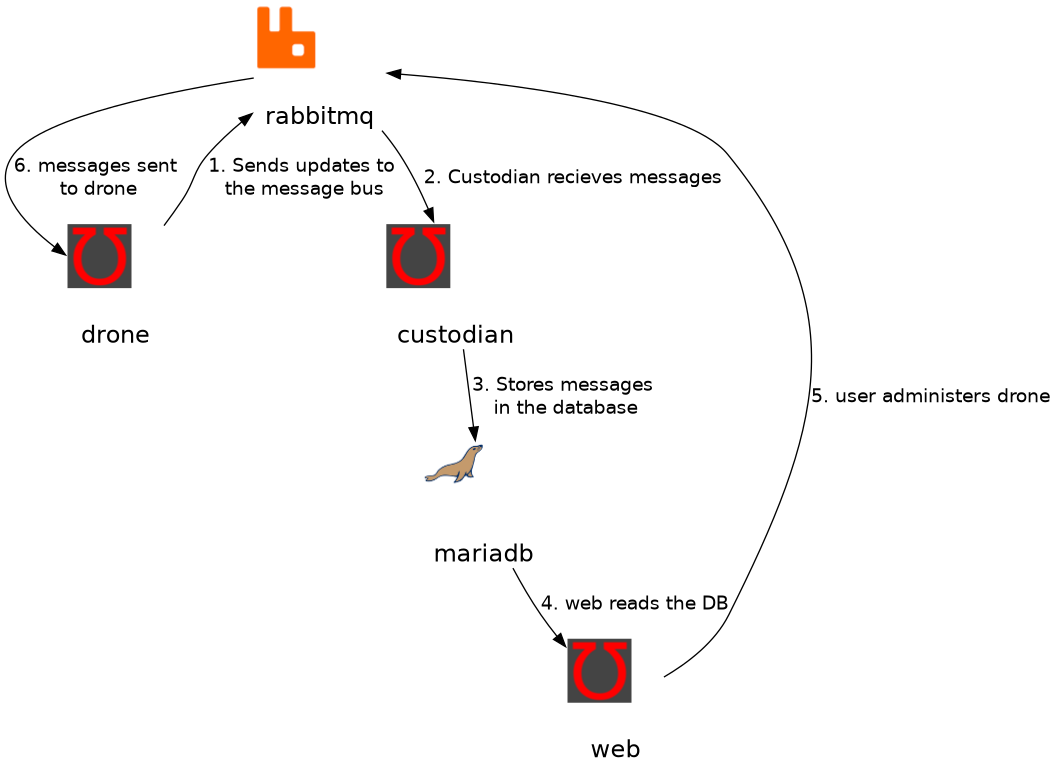
All services in the upsilon project try hard to use autoconfiguration to make your life easier, so they should just work "out of the box". However, sometimes it is necessary to override these defaults. This is possible with the following environment variables on startup;
| Environment Variable | Example | Description |
|---|---|---|
|
test.example.com |
The unique identifier for the node |
|
amqp.example.com |
The address of the AMQP Server |
Command Configuration
The drone service looks for it’s configuration files in the following places, in order;
-
/etc/upsilon-drone-fabric/upsilon-config/config.yml
While you can create this directory manually, and write a configuration file, it is more normal to let the drone get it’s configuration from Git. The control node fabric-config repository is initialized during upsilon controlnode bootstrap, and operators edit it with upsilon-cli (upsilon fabric clone, local edits, push, then upsilon request gitpull).